
Creating social media content consistently was a challenge for me. Writing hooks, shaping captions, and adapting ideas for different audiences often felt harder than coming up with the idea itself.
I built Ayumio to give that process more structure: a place to organize reusable frameworks, save audience personas, and combine them into prompts for an AI tool of my choice.
It was my first AI-assisted web app development project. I defined the product, shaped its interface and workflows, tested its behavior, and used ChatGPT and Claude to assist with implementation.
Project: Independent project
Personal use
My role: Product concept, feature and workflow design, prompt design, manual testing, marketing website, and launch.
Implementation: AI-assisted development using ChatGPT and Claude.
Timeline: Initial build in approximately one month, followed by continued refinement.
Delivered at a glance
I built and publicly launched a web app that brought audience personas, content frameworks, and prompt preparation into one workflow.
The app included:
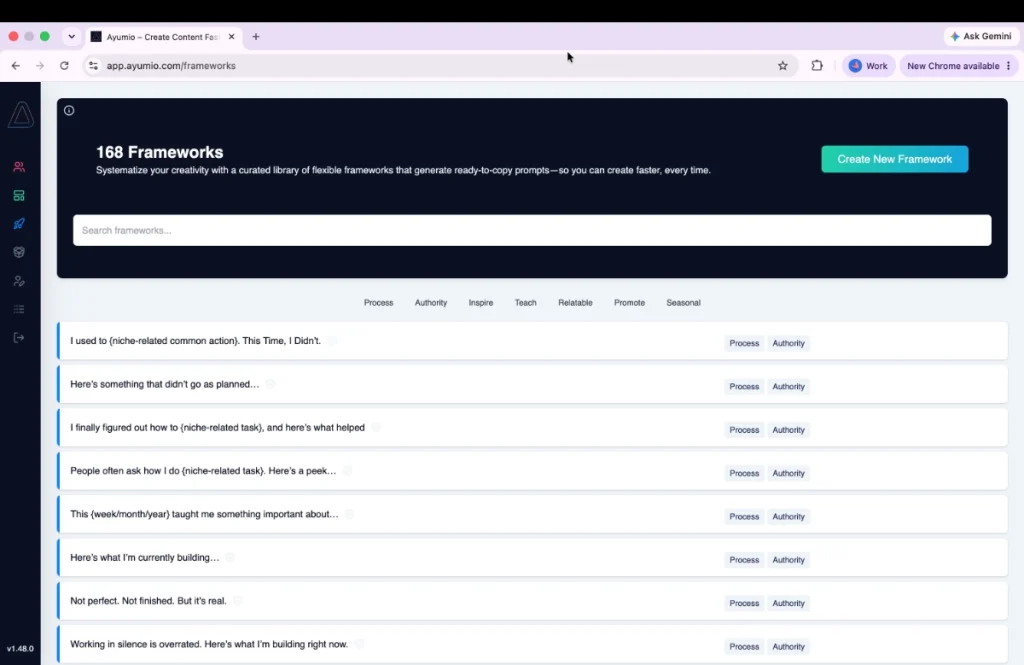
- A searchable library of hook and caption frameworks.
- Personal personas and custom frameworks that users could create, save, and delete.
- Tags for organizing and finding reusable material.
- Tailored prompts that users could copy into their preferred AI tool.
- User accounts, monthly usage limits, and Stripe subscription integration.
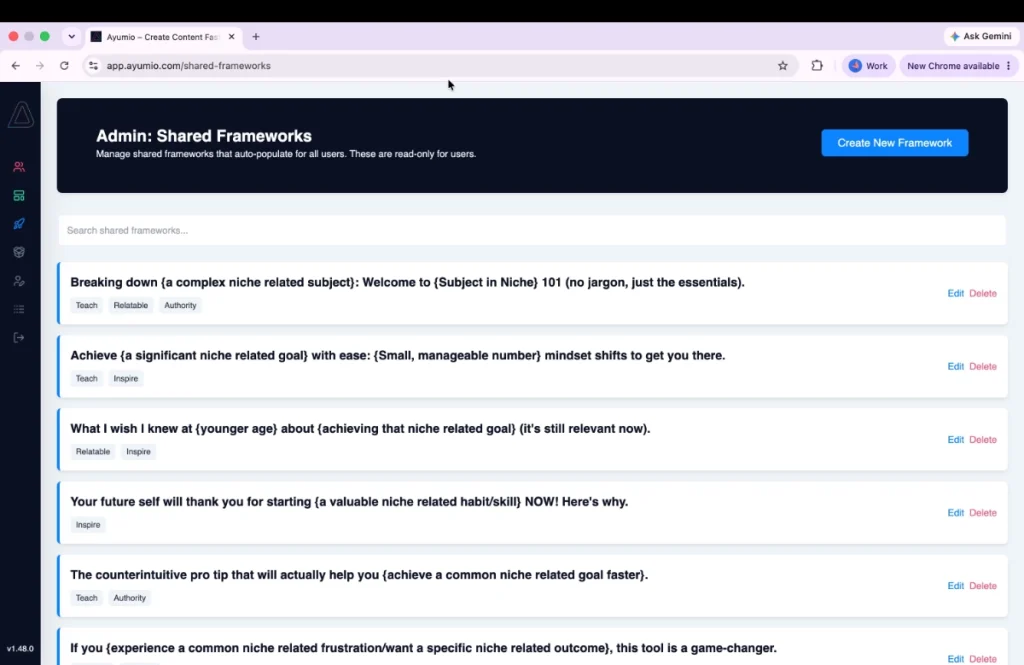
- An admin area for maintaining shared frameworks and managing user access.
I continue to use Ayumio for my own content planning. It currently has no other active users, so this case study focuses on what I built, tested, and learned.
The problem: Starting from scratch too often
I wanted to create content that connected with people, but I didn’t have a reliable way to reuse what I had learned.
A useful hook might be saved somewhere, an audience description somewhere else, and the prompt that produced a helpful result buried in a previous conversation.
I needed a system that made those pieces easier to find and combine. It also needed room for my own preferences: frameworks that felt natural to me and audience descriptions I could refine over time.
That became the foundation for Ayumio.
My approach: Organize the inputs to content creation
Keep the interface focused on the task
I wanted the interface to support a straightforward sequence: find a framework, choose an audience, describe the topic, and prepare a prompt.
Search and tags helped users find material without browsing the entire library. Saved personas reduced the need to describe the same audience repeatedly.
I chose a web app so the workflow could be accessed through an internet-connected browser across devices. React handled the interface, Tailwind CSS supported the layouts and styling, and Firebase provided hosting, authentication, and data storage.
Support shared material and personal frameworks
The shared library offered starting points, while custom frameworks let users preserve approaches suited to their own content.
Users could create, save, and delete their own material. Shared frameworks were maintained through an admin area and were read-only for regular users.
This gave me a way to update the common library while keeping personal frameworks under each user’s control.
The workflow: From a framework to a tailored prompt
1. Save the audience
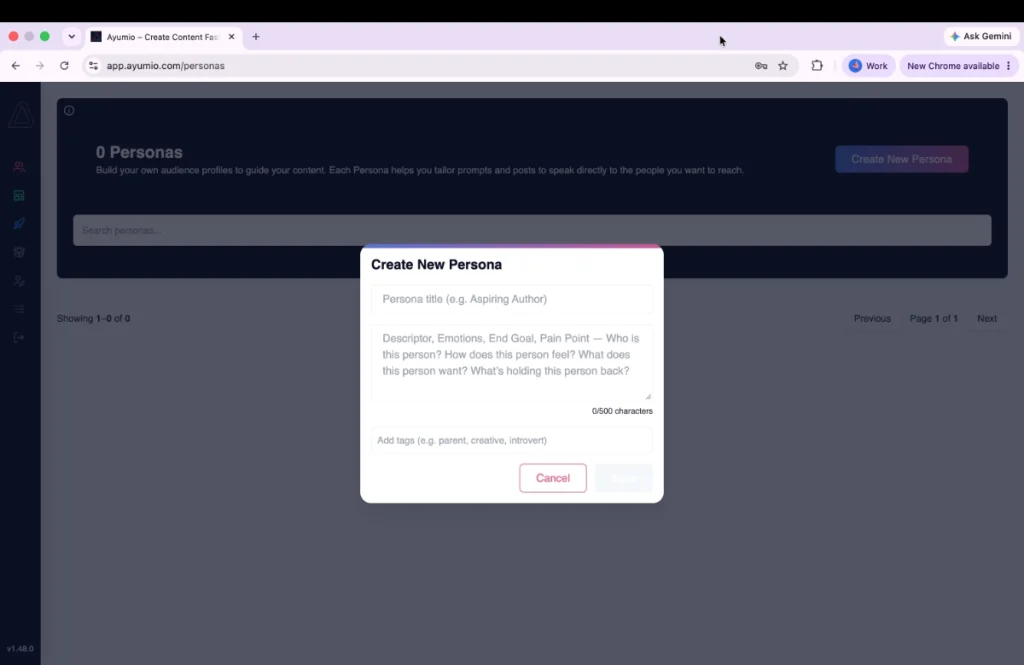
Users could create a persona describing the people they wanted to reach, then reuse it when preparing new content.
The persona form prompted them to consider a descriptor, emotions, an end goal, and a pain point. A title and tags made that audience profile easier to identify later.
2. Choose a framework
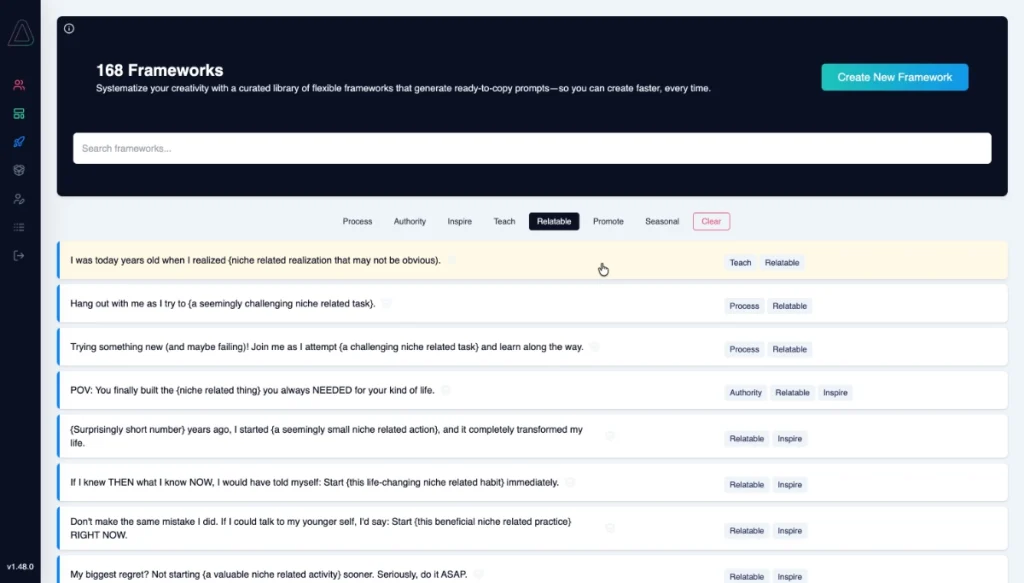
Users could search the framework library or narrow their options using categories such as Process, Authority, Inspire, and Teach.
They could also create custom frameworks for patterns they wanted to reuse. For my own content, this became a way to keep hooks that felt closer to how I naturally communicate.
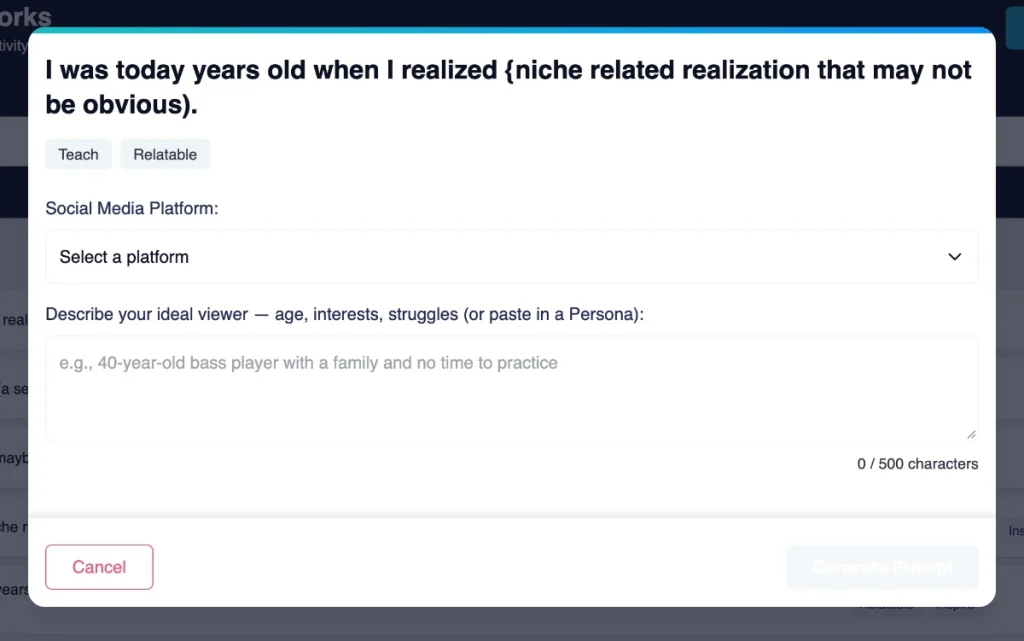
3. Add context and prepare the prompt
After choosing a framework, users supplied their topic and selected the relevant audience and platform inputs.
Ayumio assembled those inputs into a detailed prompt. Users could copy it into ChatGPT, Claude, or another AI tool to develop content ideas and a script.
The released workflow prepared the prompt; the external AI tool generated the content.
A design decision: Use custom frameworks for repurposing
An earlier design included a separate Repurpose Frameworks area.
As I used the app, I realized a custom framework could serve the same purpose. A user could save a successful content pattern and reuse it without needing a different type of library.
I decided to consolidate that capability into custom frameworks. This gave repurposing a place within the existing workflow and reduced the need for a separate section.
Some dashboard and account labels in the captured version still reference repurposing. Those reflect the earlier organization.
A product decision: Remove built-in AI generation
Earlier versions generated content directly through AI APIs.
During testing, I struggled to get results that matched the quality I was getting by using my detailed prompts in the browser versions of Claude and ChatGPT.
I chose to remove built-in generation and keep the prompt preparation workflow. Users could organize their material in Ayumio and take the resulting prompt into the tool they preferred.
That added a copy-and-paste step, but it was the workflow I found more useful in practice.
This was a comparison of my implementation and results at the time. It didn’t establish that browser tools would always produce better results than an API integration.
Accounts, access, and monthly limits
Ayumio included account registration and login, with different capabilities for users and administrators.
I used Firebase Authentication for accounts and Stripe for subscription payments. Free accounts had monthly usage limits, while paid accounts offered higher limits and additional features.
The account page displayed prompt generation, viewing activity, and creation activity so users could see how much of their allowance remained.
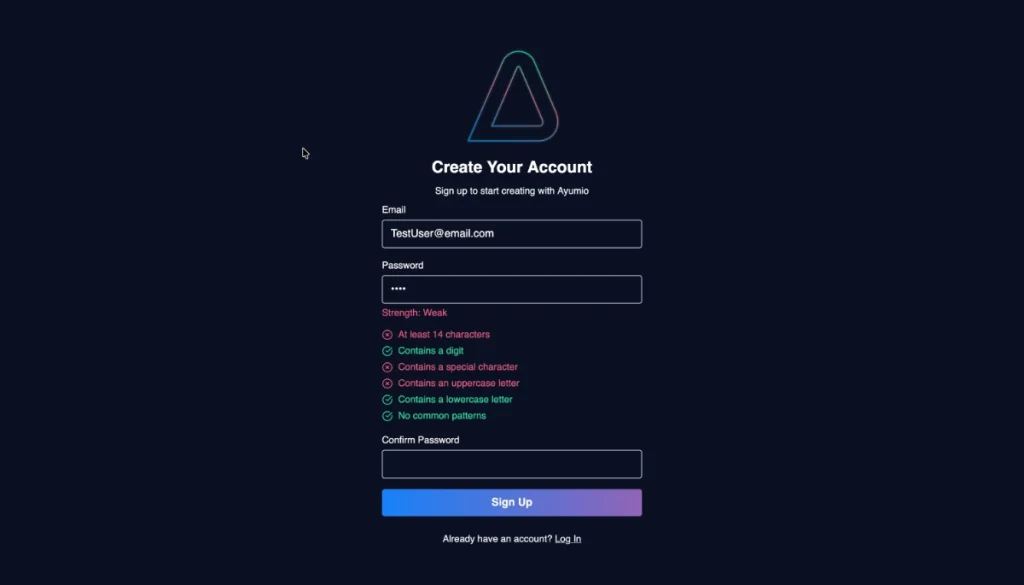
Registration checked passwords against a 50,000-entry weak-password list and enforced requirements for length, uppercase and lowercase letters, numbers, and special characters.
These were specific safeguards I implemented and tested during development.
Testing: Check the workflow and account behavior
My manual testing covered both content preparation and the features surrounding it.
I checked:
- Registration: Passwords that failed the configured weak-password or character requirements were rejected.
- Organization: Search and tags returned the expected frameworks.
- Payments and access: Stripe test payments resulted in the expected account access.
- Prompt output: I used generated prompts in Claude and ChatGPT, compared the responses, and refined the prompts for more consistent results.
Investigating a usage-tracking regression
After a substantial refactor, I noticed that clicking Generate Prompt wasn’t incrementing its usage counter in Firestore.
That mattered because monthly limits depended on tracking those actions accurately.
I used ChatGPT to help review the relevant code, including the button handler, usage-update utility, and Firestore rules. The investigation connected what I observed in the interface with the database behavior behind it.
The retained session documents the issue and investigation, but not the final fix and retest. It therefore supports the investigation described here, rather than a claim of verified resolution.
The experience reinforced the need to recheck stored usage data and account limits after changing a working flow.
Tools and implementation
| Tool or technology | Purpose |
|---|---|
| React | App interface and interactive workflows |
| Tailwind CSS | Interface styling and responsive layouts |
| Firebase Hosting | Hosting the web app |
| Firebase Authentication | Account registration and login |
| Cloud Firestore | Storing personas, frameworks, account plans, and usage data |
| Stripe | Subscription checkout and payment integration |
| WordPress | Marketing website, product pages, and blog |
| ChatGPT and Claude | AI-assisted implementation, debugging support, and prompt evaluation |
I also built a WordPress marketing website to explain the product and demonstrate its workflow. I used Ayumio when creating the site’s blog content, giving myself a practical setting in which to use the tool.
Launch and continued personal use
I launched Ayumio publicly through LinkedIn and continued refining it afterward.
My ongoing use is personal: developing social media ideas and maintaining a library of hook frameworks that feel natural to me.
Building a functioning product and attracting regular users were different challenges. This project gave me experience taking an idea through implementation and launch; it did not establish broader adoption or commercial demand.
What I learned
Ayumio gave me my first experience carrying an AI-assisted web app from a personal problem to a public release.
I had to define how the product should behave, evaluate the implementation, and check whether the complete workflow worked as intended. Changes to one part of the app could affect usage tracking, account access, or the interface elsewhere.
Two decisions shaped the product: preparing portable prompts instead of generating content directly, and using custom frameworks to support repurposing. Both came from examining how I actually used the app.
If I revisit built-in generation, I would explore breaking the task into smaller stages and evaluate those results against the current workflow. That remains a future direction rather than an improvement I have implemented or validated.
View the full Ayumio marketing homepage.
