
Kaleidos needed a faster way to list one-of-a-kind vintage inventory without losing the detail and voice of its brand.
I investigated the team’s listing process and shaped an assistant that brings product inputs, pricing calculations, and AI-generated listing content into one workflow inside Shopify. Staff review the generated content before applying it to the product draft.
Project: Client work
In use
My role: Workflow discovery, feature and prompt design, brand guidance, manual QA, rollout, and feedback gathering.
Implementation: AI-assisted.
Result at a glance
Average listing time decreased from approximately 10–15 minutes to about 5 minutes per item, based on an observed baseline and team-reported throughput after rollout.
During discovery, I sat with the owner for one hour, watched her process inventory, and calculated average listing time from the number of items she completed. After rollout, I asked team members to report how many items they completed within an hour.
This provided a practical comparison of the workflow. It was not a controlled benchmark: the baseline was directly observed, while the follow-up figures were reported by the team.
The problem: Repetitive work across multiple parts of Shopify
Before the assistant, a team member entered each product’s details manually. That included size, weight, tags, and a product description. They also calculated a price using a formula based on the item’s cost of goods.
Search metadata added another writing task. Staff had to come up with a meta title and description, then check their lengths—even though none of the team members were SEO specialists.
These tasks were spread across different areas of the product editor. Entering a listing meant repeated navigation, calculations, and decisions about wording for every item.
Because vintage inventory is often one of a kind, the team repeated that work for each new product.
My approach: Work within the team’s existing process
Keep the assistant inside Shopify
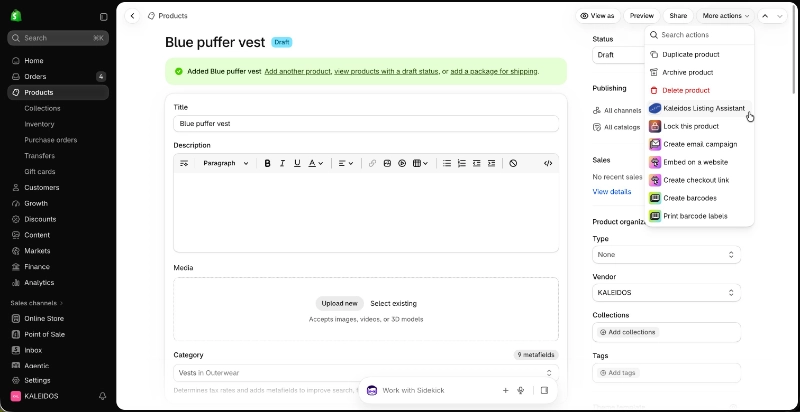
The team already spent much of its working day in Shopify. I wanted the assistant to be available where they were creating products.
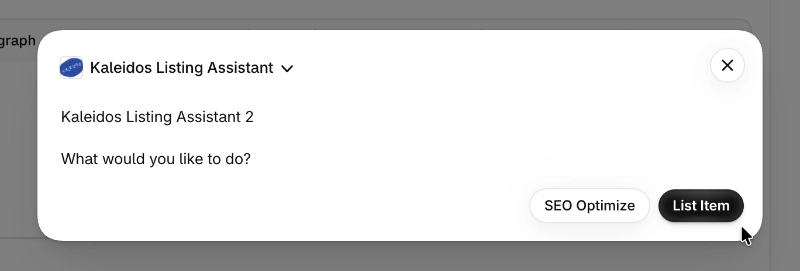
The goal was to capture the details a team member knew about an item, turn those notes into consistently formatted listing content, and apply the information to the relevant Shopify fields. This reduced the need to move between sections and re-enter information.
Give the generated content a brand reference
Consistent descriptions required more than a general instruction to write product copy.
I assembled a brand voice document containing 50 examples of Kaleidos’ writing, drawn from emails, blog posts, and previous product listings. I used that reference to guide the prompts and evaluated the output against the client’s voice and formatting expectations.
Keep a person responsible for the final review
AI can elaborate on a detail in a way that sounds plausible but is inaccurate. I included a preview before applying the generated content so a team member could check the listing first.
That review step kept product accuracy and brand consistency part of the workflow.
The workflow: From product notes to a Shopify draft
1. Enter product notes
A team member opens the assistant from the Shopify product and enters the item’s details.
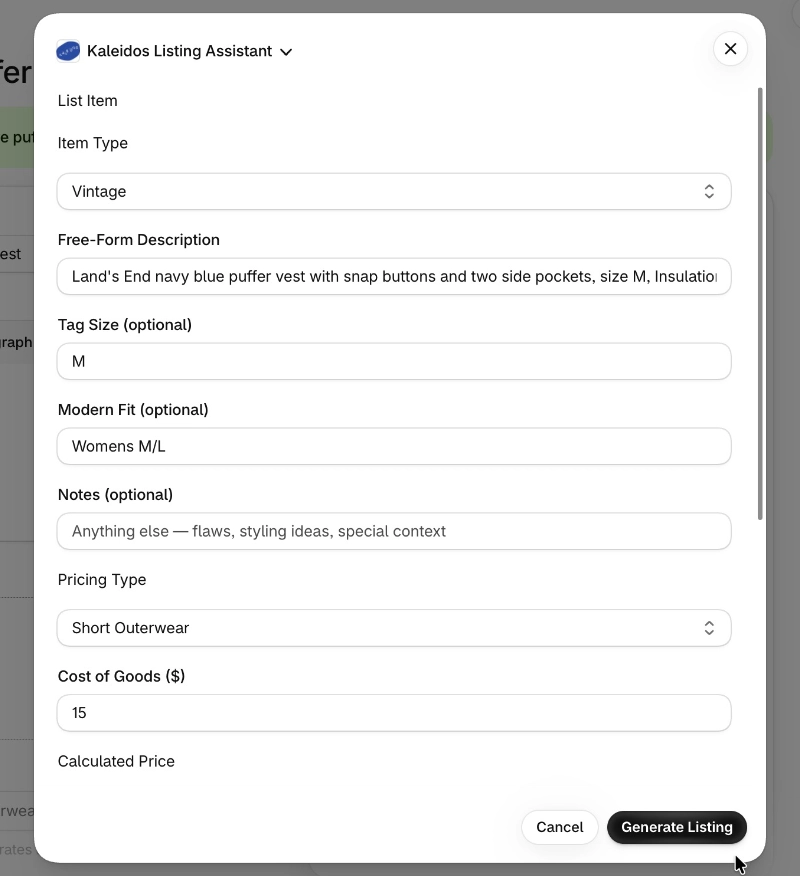
The form brings together free-form notes, size and fit information, pricing inputs, and other listing fields. Staff supply what they know about the item without first having to turn those details into polished copy.
2. Review the generated listing
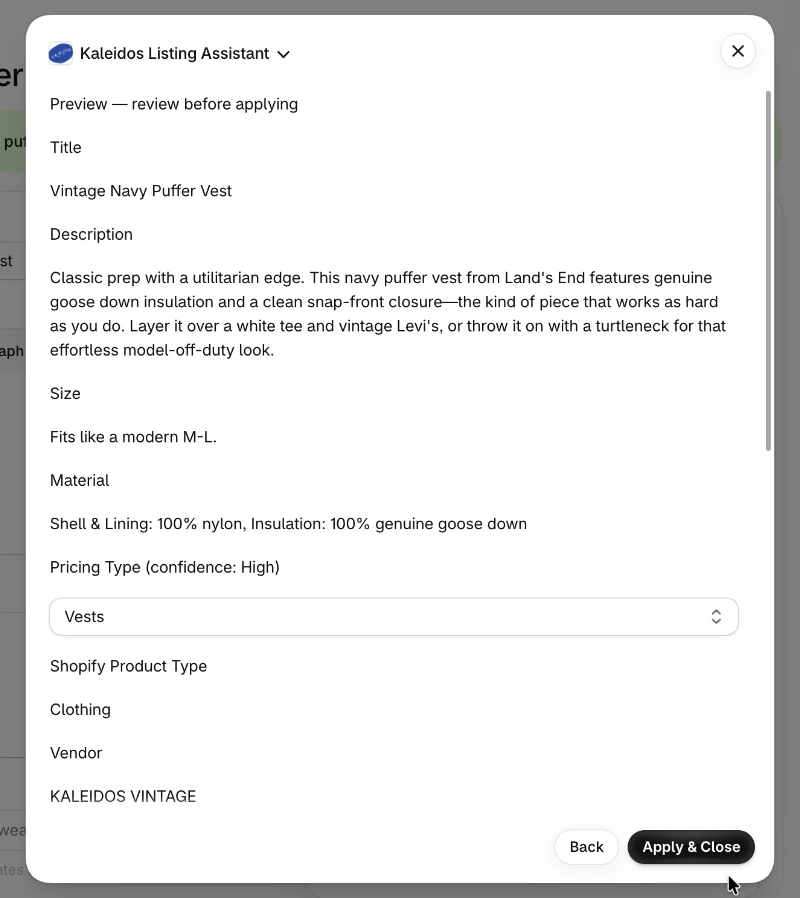
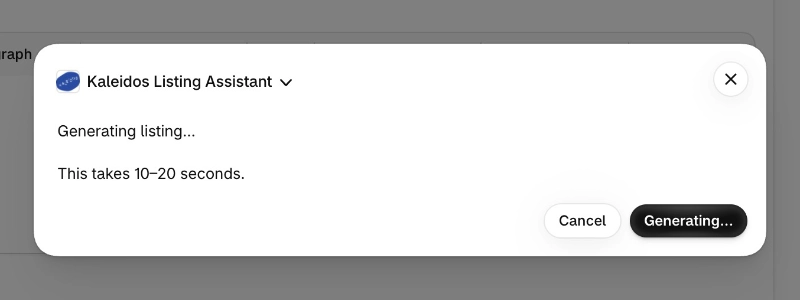
The assistant generates a listing preview for review before application.
Staff check the description and product details for accuracy and consistency. The preview also makes the generated output visible before it changes the product draft.
3. Apply the listing to Shopify
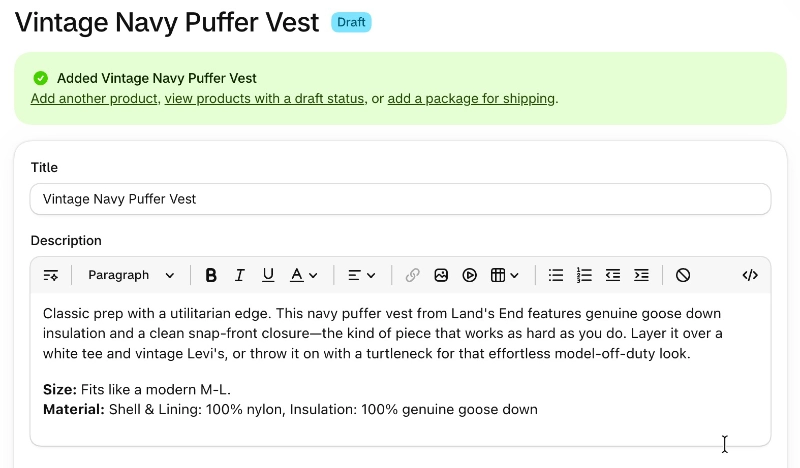
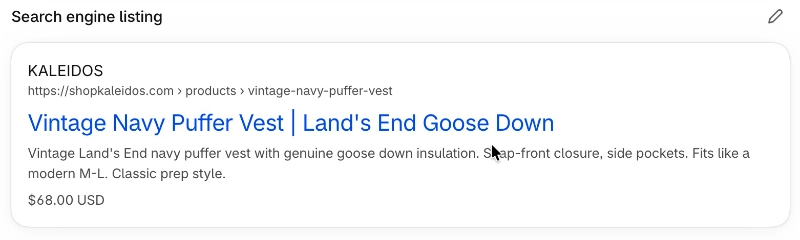
Review the applied search title, description, and product URL.
After reviewing the output, the team member applies it to the Shopify draft.
The assistant updates the product information, including the description and search metadata, reducing the manual work required across separate areas of the editor.
Testing: Check the content, calculations, and operating cost
I tested batches of listings in a development store before introducing the assistant into the client’s live workflow.
My checks covered several areas:
- Product accuracy: I processed different types of vintage items, reviewed the generated content, and adjusted prompts when the output needed improvement.
- Pricing calculations: I cross-checked calculated prices against the client’s formulas for different item types.
- Brand consistency: I checked description wording and formatting against Kaleidos’ writing guidance.
- Search metadata: I reviewed meta titles, descriptions, and slugs for accuracy and checked titles and descriptions against the target lengths.
- Operating cost: I reviewed Claude API usage after batches of listings to estimate the cost of a typical processing day.
Testing helped me refine both the generated content and the surrounding workflow before wider use.
Rollout: Refine the tool with the owner before wider adoption
I introduced the assistant through a quiet rollout. It was available in the live store for a few weeks while the owner used it and provided continuous feedback, before the wider team began using it.
That period gave us a chance to make adjustments based on actual inventory and working conditions.
One change was allowing staff to override the calculated price. The client’s pricing formulas provided a useful starting point, but some vintage pieces had a higher value than the formula reflected.
Adding an override let staff use the calculation while still applying their knowledge of an individual item.
Outcome and what I learned
The team adopted the assistant into its listing workflow. The observed baseline and subsequent team reports suggested average listing time fell from approximately 10–15 minutes to about 5 minutes per item.
The project brought together workflow discovery, prompt design, manual testing, and client feedback. Generating a description was one part of the work. Making the tool useful also meant reducing navigation, checking calculations, maintaining the brand’s voice, and leaving room for staff judgment.
The price override was a useful reminder: a consistent formula can support a workflow while still needing an exception for the item in front of the person using it.